Modern sales organizations cannot rely on ad-hoc training, manual attendance, or disconnected learning tools. As sales teams expand across cities, stores, and regions, companies need a Sales Training LMS that brings structure, visibility, automation, and measurable outcomes into one unified system.
A modern Sales Training LMS is not just about hosting content. It is a complete learning ecosystem combining admin control, trainer execution, and employee engagement across desktop portals and mobile applications.
This article explains how modern sales teams train, certify, and scale using a Sales Training LMS, based entirely on real system capabilities used by enterprise clients.
What Is a Sales Training LMS?
A Sales Training LMS (Learning Management System) is a centralized platform designed to manage, deliver, track, and analyze sales training programs for employees, trainers, and administrators.
Unlike traditional LMS platforms built for academics, a Sales Training LMS focuses on:
- Field execution
- Real-world session tracking
- Level-based skill progression
- Certifications, quizzes, and gamification
- Performance analytics tied to learning behavior
The system is typically divided into two major components:
- Admin Portal (Desktop)
- Mobile Application (Employee & Trainer)
Both work in complete sync to ensure real-time updates and accurate reporting.
Core Architecture of a Modern Sales Training LMS
Three Interfaces for Three User Types
A modern Sales Training LMS supports three user roles, each with defined access and responsibilities:
- Admin
- Trainer
- Employee
This role-based structure ensures clean workflows, operational efficiency, and controlled access.
Admin Portal: The Command Centre of Sales Training
The Admin Portal is accessed on desktop and acts as the control room for the entire LMS. Only authorized admins can access this portal.
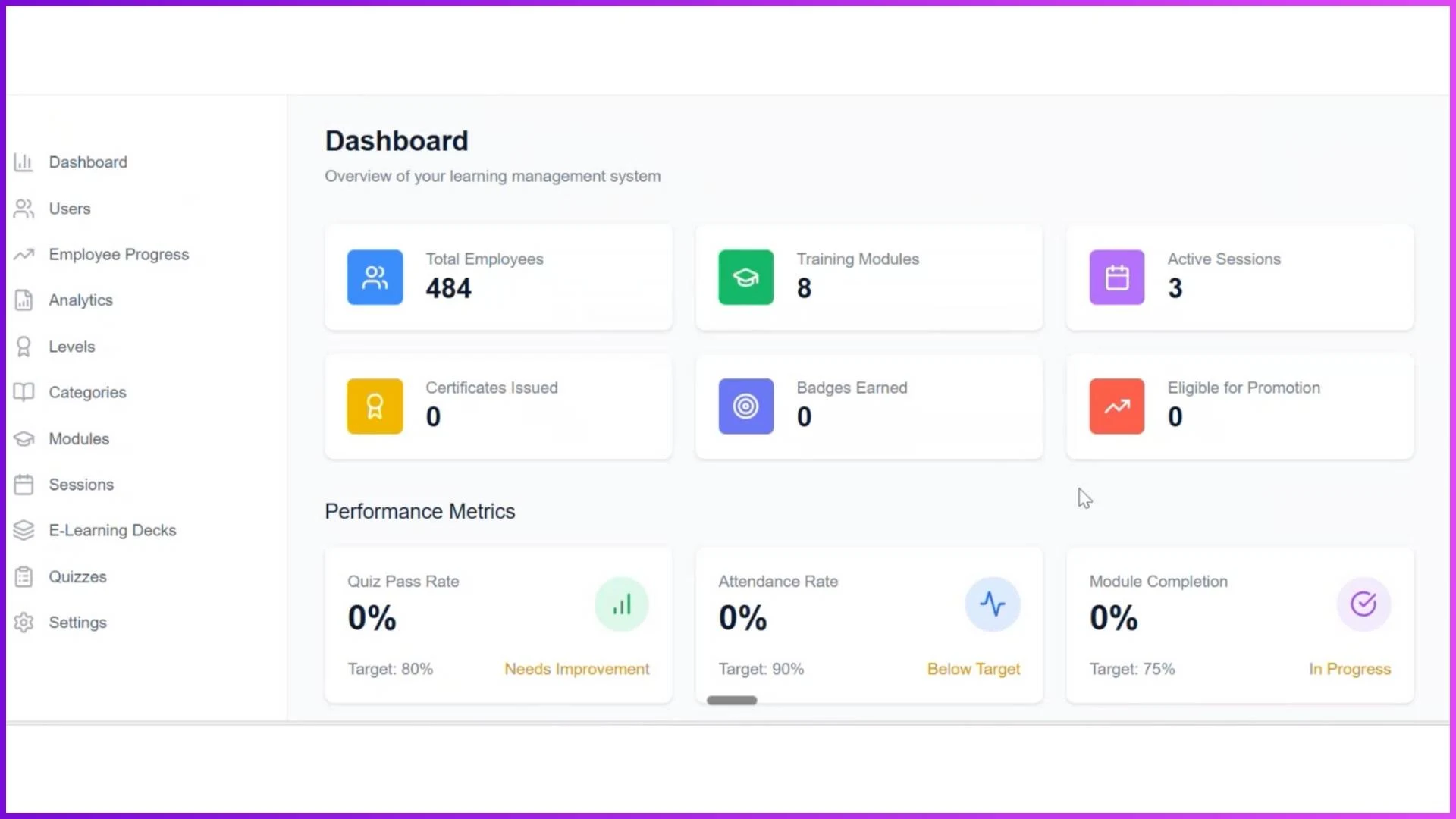
Admin Dashboard (Landing Screen)
The dashboard provides a high-level snapshot of training operations, including:
- Total Employees
- Training Modules count
- Active Sessions
- Certifications Issued
- Badges Earned
- Employees Eligible for Promotion
Performance Matrix Overview
Admins can instantly track:
- Quiz Pass Rate
- Attendance Rate
- Module Completion Rate
Quick Actions
- Manage Users
- Track Progress
- Training Modules
- Sessions
- Quizzes
Recent Activities
A real-time feed showing all recent system activities.
This dashboard eliminates manual reporting and gives admins immediate visibility into training health.
User Management in a Sales Training LMS
Admins can create and manage:
- Employees
- Trainers
- Admins
User Creation Options
- Add individual users
- Bulk upload via Excel
- Export user data (CSV or Excel)
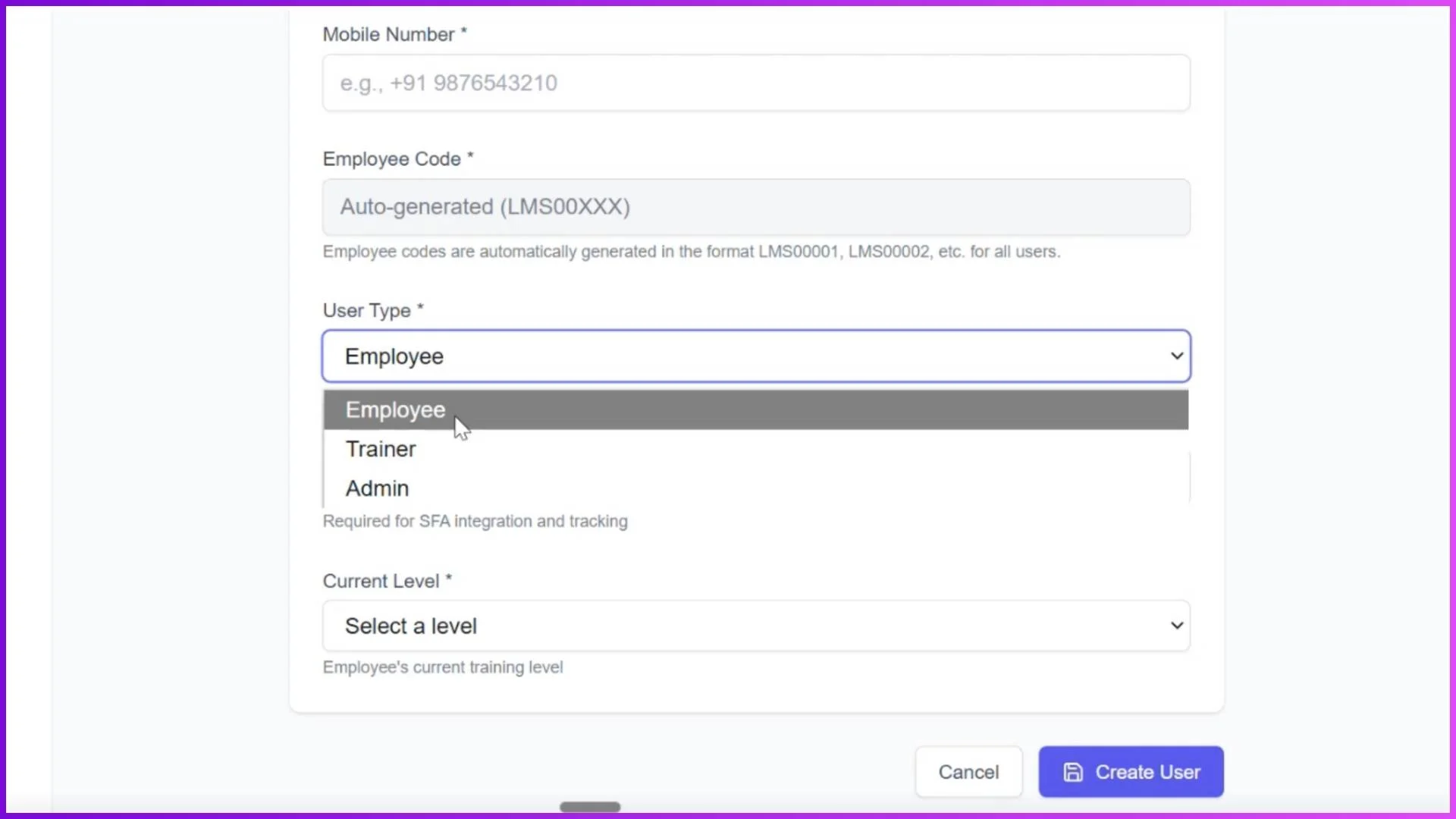
User Attributes
When adding a new user:
- Email Address
- Full Name
- Mobile Number
- Employee Code
- User Type
- Current Level
This ensures structured onboarding and accurate role-based access.
Employee Progress Tracking
The Employee Progress section gives admins complete visibility into individual and team learning performance.
Key Metrics
- Total Employees
- Eligible for Promotions
- Average Completion Rate
- Average Attendance
Table View Includes:
- Employee Name
- Current Level
- Module Progress
- Achievements (Certificates, Badges, Attendance)
- Promotion Status
This eliminates guesswork and enables data-driven promotion decisions.
Levels & Promotion Logic (Level-Based Sales Training)
A modern Sales Training LMS uses a leveling system to structure learning paths.
How Levels Work
- Employees start at Level 0
- Admins can create unlimited levels (Level 0 to N)
- Promotion criteria are predefined and configurable:
- Certificates received (%)
- Tenure (days)
- Average productivity units
Once all criteria are met, the employee automatically unlocks the next level.
This creates:
- Structured skill progression
- Clear career paths
- Motivation through visible growth
Learning Structure: Categories, Modules, and Sessions
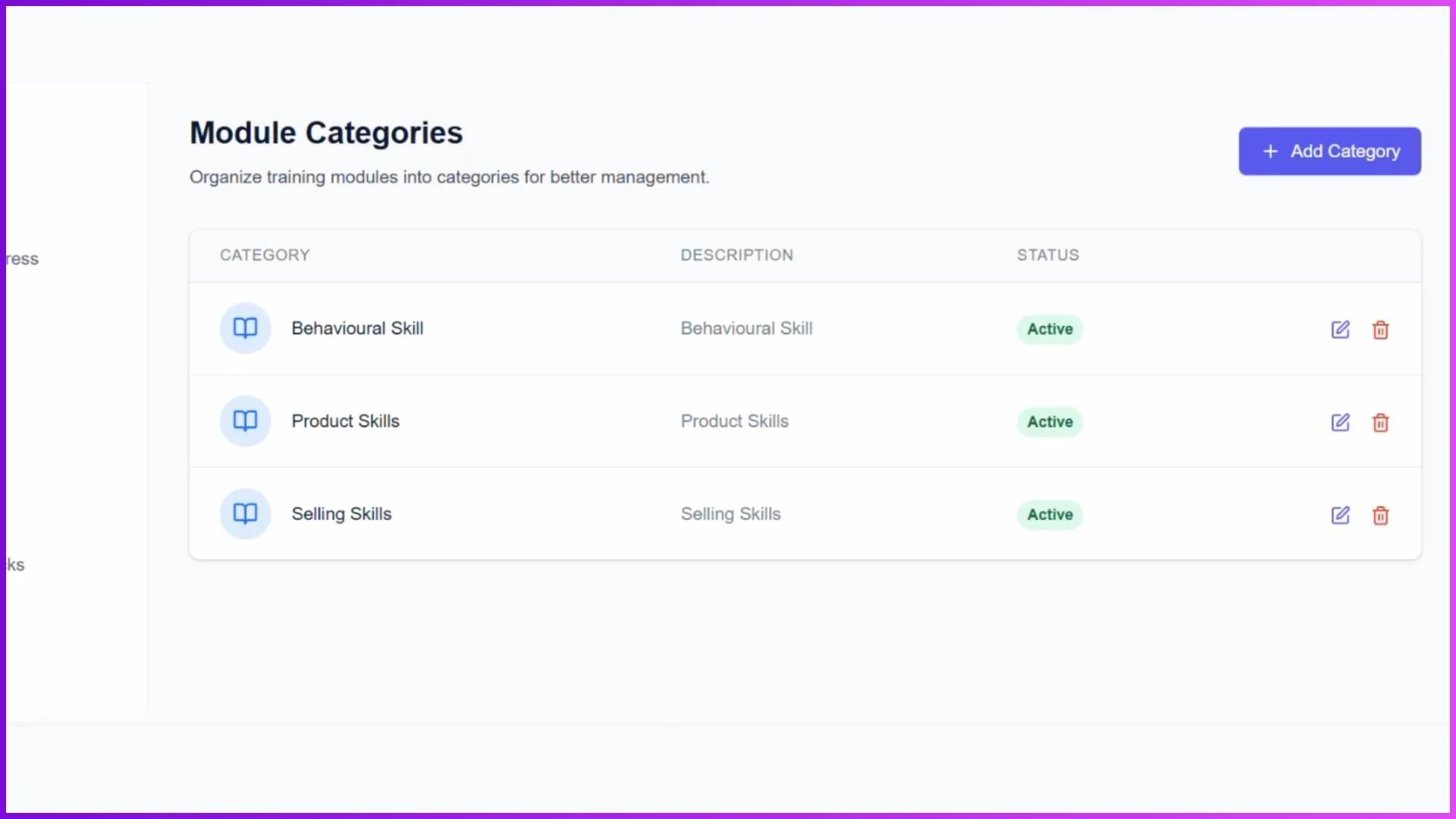
Categories (Super Sets)
Admins create high-level categories such as:
- Behavioural Skills
- Product Skills
- Selling Skills
Categories help manage training efficiently at scale.
Modules (Sub Sets)
Modules are created under categories.
Example:
- Category: Product Skills
- Module: Gaming Notebook
Each module is mapped to a specific employee level, ensuring employees only see relevant training.
Session Management: 4 Training Formats That Cover Everything
A modern Sales Training LMS supports four session types, covering all real-world sales training scenarios.
1. Classroom Sessions
- Physical, instructor-led training
- Location-based attendance
- Employees mark attendance using photo capture
2. Virtual Sessions
- Online sessions using Google Meet, Teams, or Zoom
- Meeting link embedded directly in the LMS
- Attendance marking before joining
3. In-Store Sessions
- Trainer visits stores physically
- Trainer marks attendance from their mobile app
- Geo-tagged photo attendance ensures authenticity
4. E-Learning Sessions
- Self-paced learning
- Content delivered via interactive decks
- Attendance auto-marked based on time spent (e.g., 30 seconds on a PDF)
This versatility ensures no training use case is left uncovered.
E-Learning Decks: Structured Digital Learning
Admins and trainers can create E-Learning Decks with multiple content formats:
- PDFs
- Images
- Embedded YouTube videos
Employees access these decks directly from their mobile app.
Completion logic can be enforced for example, attendance is marked only if the employee spends the defined minimum time on content.
Quizzes & Assessments in Sales Training LMS
The LMS includes a powerful Quiz Builder.
Quiz Configuration Options
- Passing percentage (e.g., 70%)
- Negative marking (Yes/No)
- Maximum attempts
- Time limits
- Completion timeframe
- Module & level mapping
Assignment Methods
- Individual assignment
- Bulk upload
- Level-wise assignment
Employees receive in-app notifications for all quizzes.
Two Types of Quizzes
1. Standard Quiz
- One question, four options
- Results shown after completion
2. Gamified Quiz
- Question embedded in an image
- Interactive pop-ups
- Higher engagement and retention
Gamification, Badges & Certifications
To create a motivating learning environment:
- Certificates issued on module or level completion
- Badges awarded for achievements
- Visible progress inside the employee app
This gamification drives participation and continuous learning behavior.
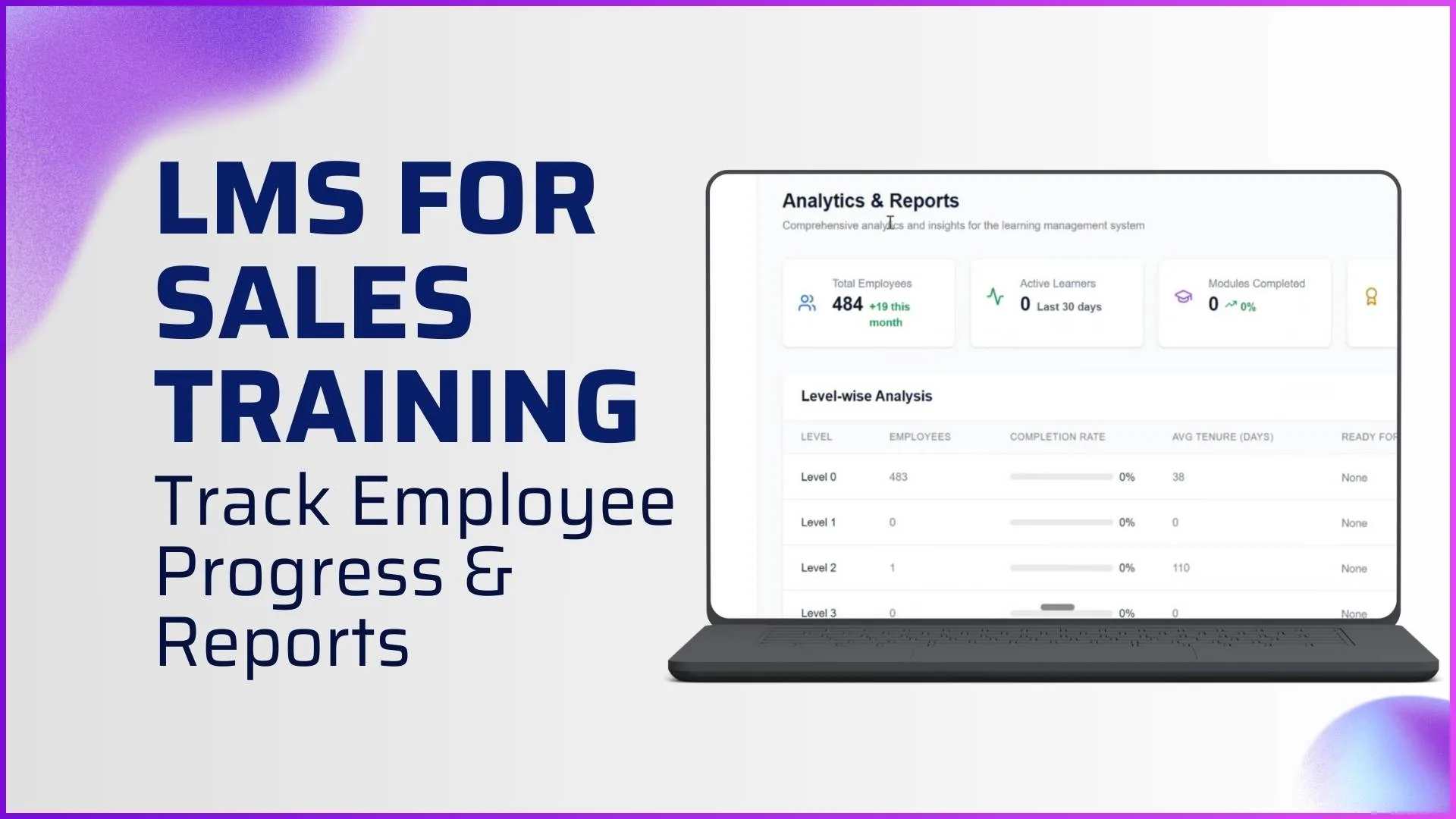
Analytics & Reporting: Turning Learning into Insights
The Analytics & Reports module provides deep visibility into training performance.
Available Analytics
- Total Employees
- Active Learners
- Modules Completed
- Certificates Issued
Detailed Views
- Level-wise Analysis
- Module Performance
- Quiz Analytics
- Trainer Performance
Reports are fast, exportable, and easy to understand built for decision-makers.
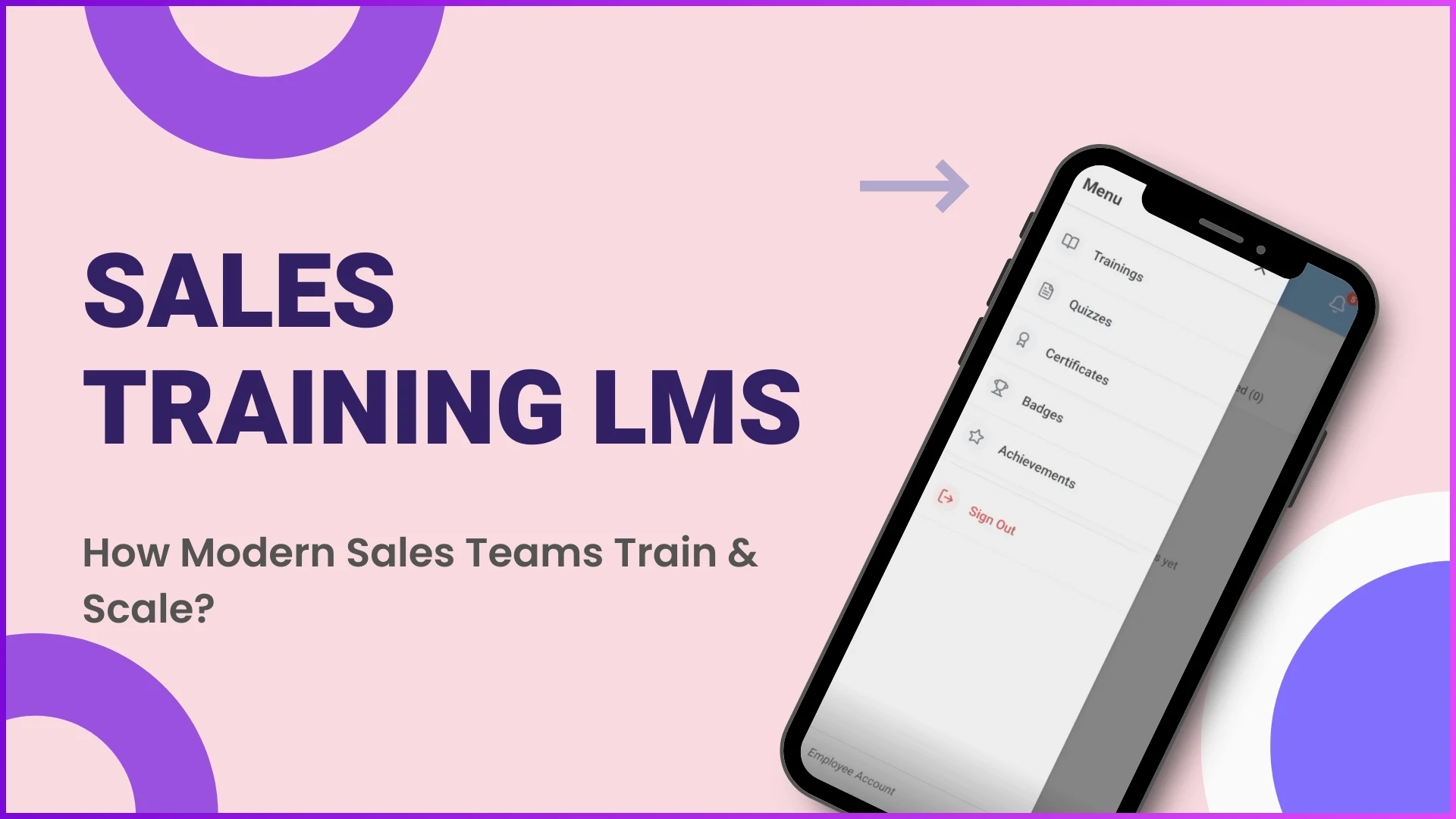
Trainer & Employee Mobile Applications
The mobile app is the operational front end for trainers and employees.
Employee App Features
- Personalized dashboard
- Sessions, quizzes, certificates, badges
- Notifications
- Profile with learning summary
- Day streak tracking
Trainer App Features
- Today's sessions
- Assigned employees
- Attendance marking
- In-store photo capture
- Session facilitation tools
Both apps run on Android and iOS, with role-based functionality from the same application.
System Performance, Reliability & Scalability
A modern Sales Training LMS is built for:
- High performance
- Fast load times
- Low-latency interactions
- Enterprise-grade stability
It supports:
- Large user volumes
- Multiple sessions
- Scalable content growth
Backed by fast, reliable support, organizations experience minimal downtime.
Why Modern Sales Teams Need a Sales Training LMS
Organizations adopt a Sales Training LMS for:
- Versatile training formats
- Automated attendance & tracking
- Level-based learning paths
- Actionable analytics
- Motivated sales teams
- Scalable training operations
This is not just training software it is learning automation for sales excellence.
Explore Sales Team LMS
Transform your sales training with 1Channel's comprehensive LMS platform. Deliver structured training, track performance, automate promotions, and scale your sales team efficiently.
Explore LMS Solutions →FAQs: Sales Training LMS
What is a Sales Training LMS used for?
A Sales Training LMS is used to manage sales training programs, track attendance, conduct quizzes, issue certifications, and analyze learning performance across sales teams.
Can a Sales Training LMS support field and in-store training?
Yes. With in-store sessions, geo-tagged attendance, and trainer-led mobile workflows, it is ideal for field sales teams.
How does level-based training work?
Employees progress through levels by completing predefined criteria such as certifications, tenure, and productivity metrics.
Are quizzes and certifications customizable?
Yes. Admins can configure passing criteria, attempts, time limits, and issue certificates or badges based on completion.
Is the LMS scalable for large organizations?
Absolutely. The system supports enterprise-level users, multiple sessions, and future enhancements without performance issues.
Can the LMS be customized for different clients?
Yes. Branding, features, and workflows can be adjusted based on client requirements.
Final Thought
A modern Sales Training LMS is the backbone of scalable, measurable, and motivating sales enablement. By combining structured learning, real-world execution, automation, and analytics, organizations can train better, certify faster, and scale smarter.