Field sales operations rely on two very different kinds of work: planning and control on one side, and on-ground execution on the other. Trying to manage both through a single interface often leads to confusion, data gaps, and poor accountability.
That's why modern Field Sales Automation (SFA) systems are designed with two distinct yet connected components:
- a Web Portal, and
- a Mobile App.
Each serves a specific purpose, supports different users, and plays a critical role in ensuring accurate field execution and reliable business visibility.
This blog explains the difference between the Web Portal and Mobile App in Field Sales Systems, how they work together, and why both are essential for successful field operations.
Understanding the Two Layers of a Field Sales System
A field sales system is not just about tracking visits or marking attendance. It is an end-to-end operational framework that includes:
- User and role management
- Attendance and compliance tracking
- Market visit planning
- Sales, stock, and merchandising execution
- Reporting, approvals, and analytics
To manage this complexity, the system is split into:
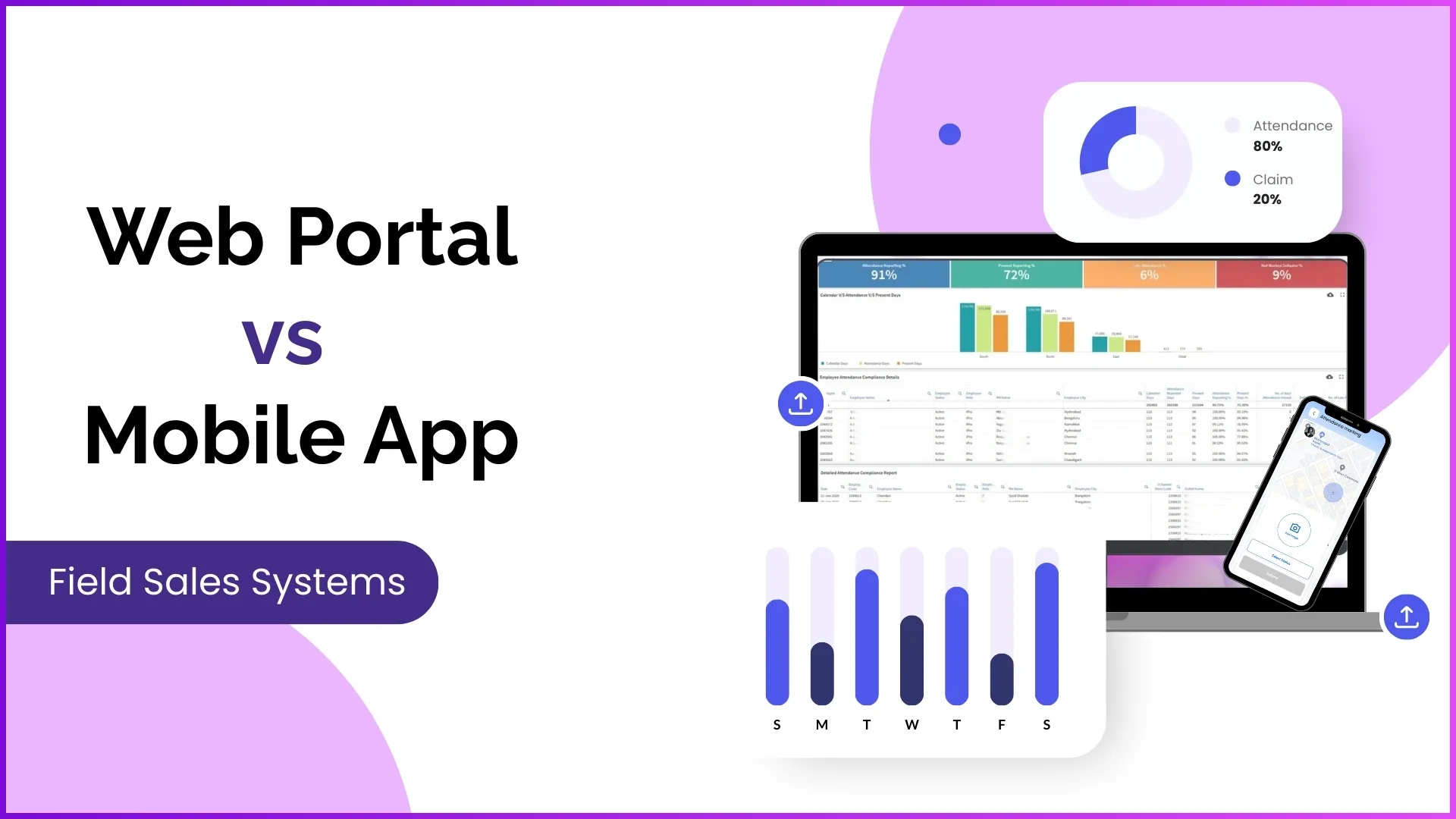
- Web Portal → Strategy, configuration, monitoring, and approvals
- Mobile App → Execution, data capture, and real-time field reporting
What Is the Web Portal in a Field Sales System?
Purpose of the Web Portal
The Web Portal acts as the central control system of field operations. It is where business rules are defined, teams are managed, plans are created, and performance is monitored.
Who Uses the Web Portal?
- Admins
- Program Managers
- Business Heads
- Reporting Managers
Field employees do not use the portal for daily activities.
Key Functions of the Web Portal
1. User & Role Management
The portal is where the entire field team structure is created and maintained:
- Uploading or creating users
- Assigning reporting hierarchies
- Defining user roles and access rights
- Controlling which modules each role can access
This ensures that every user sees only what is relevant to their responsibility.
2. Attendance & Compliance Control
Managers use the portal to:
- Monitor attendance submission
- View attendance compliance reports
- Regularize attendance statuses
- Approve attendance-related requests
Attendance data collected from the mobile app becomes actionable only after it is reviewed and governed through the portal.
3. Market Visit Planning
All visit planning happens on the Web Portal:
- Uploading market visit plans
- Assigning stores to users
- Creating weekday-wise visit schedules
- Defining which store should be visited on which day
These plans become mandatory execution paths for field users on the mobile app.
4. Approvals & Governance
The portal enables managerial control through:
- Leave approvals
- Expense claim approvals
- Activity and visit approvals
- Reference image approvals for AI validation
This approval layer ensures that field data is verified, authorized, and compliant.
5. Dashboards, Reports & Analytics
The Web Portal provides deep visibility into field operations through:
- Advanced dashboards
- Attendance and productivity reports
- Market visit reports
- Sales, stock, and merchandising reports
- Custom reports using the report builder
These insights help managers track performance, identify gaps, and take corrective actions.
What Is the Mobile App in a Field Sales System?
Purpose of the Mobile App
The Mobile App is the execution layer of the field sales system. It is designed for field users to perform daily tasks and capture real-time data from the market.
Who Uses the Mobile App?
- Sales Executives
- Promoters
- Field Team Leaders
They access only their own data and assigned activities.
Key Functions of the Mobile App
1. Attendance Marking with Validation
Field users mark attendance through the app using:
- AI-based face validation
- Location-based (geo-fenced) restrictions
This ensures attendance is genuine and location-verified.
2. Market Visit Execution
Based on the visit plans created in the portal, field users:
- Visit assigned stores
- Check in and check out from mapped locations
- Follow store-wise and day-wise plans
Unplanned or out-of-geo activities can be restricted as per configuration.
3. Sales, Stock & Merchandising Reporting
During store visits, users can:
- Record sales data
- Update stock availability
- Submit merchandising and demo activities
- Upload store and POSM images
All these actions are captured instantly and synced to the portal.
4. Activity & Questionnaire Submission
The app enables execution of:
- Market working questionnaires
- Store audits
- Activity-based surveys
These activities are created and assigned from the portal but executed in the field through the app.
5. Requests & Communication
The mobile app allows users to:
- Apply for leaves
- Submit expense claims
- View announcements and banners
- Access content decks and documents
This reduces dependency on calls, messages, or manual follow-ups.
Web Portal vs Mobile App: A Clear Comparison
| Aspect | Web Portal | Mobile App |
|---|---|---|
| Primary role | Control & monitoring | Field execution |
| Users | Admins & managers | Field employees |
| Focus | Planning, approvals, analytics | Visits, attendance, reporting |
| Data nature | Aggregated & analytical | Real-time & transactional |
| Authority | Defines rules | Follows rules |
| Visibility | Organization-wide | User-specific |
How Both Work Together: A Practical Example
Market Visit Planning
- Manager uploads a market visit plan on the Web Portal.
- The plan appears automatically on the mobile app.
- The field user visits stores as per the plan.
- Visit data flows back to the portal as reports.
Attendance Management
- Attendance is marked via the mobile app with photo and location.
- Managers review compliance and regularize statuses from the portal.
- Final attendance data is used for payroll and analysis.
This two-way flow ensures discipline without micromanagement.
Why Field Sales Systems Need Both
Relying only on a mobile app leads to:
- Poor governance
- Limited visibility
- No approval control
Relying only on a portal leads to:
- Delayed data
- Manual reporting
- No real-time execution tracking
A complete field sales system works only when:
- The Web Portal controls and monitors
- The Mobile App executes and reports
Explore Sales Force Automation
Experience the complete field sales ecosystem with integrated Web Portal and Mobile App for planning, execution, and real-time visibility.
Explore SFA Solutions →Conclusion
The debate around Web Portal vs Mobile App in Field Sales Systems is not about choosing one over the other. It is about understanding how responsibilities are intentionally divided to support scalable and compliant field operations.
The Web Portal ensures structure, governance, and visibility.
The Mobile App ensures execution, accuracy, and real-time data capture.
Together, they form a unified field sales ecosystem that connects planning with ground reality.