Managing attendance for field and distributed teams is rarely straightforward. Missed check-ins, late attendance, on-duty situations, or outlet-related constraints often require manual correction. This is where attendance regularization workflows become essential.
Within the 1Channel Attendance system, attendance regularization is handled through a structured approval-driven workflow that ensures accuracy, accountability, and payroll-ready data. This blog explains how attendance regularization works, who is involved, and how different scenarios are managed based entirely on the provided system documentation and demo explanation.
What Is Attendance Regularization?
Attendance regularization is the process of correcting or updating an employee's attendance status for a specific date when the originally marked attendance does not reflect the actual working condition.
In the SFA system, regularization is treated as part of HR and People Management, ensuring attendance data remains reliable for analytics, compliance, and payroll processing.
Why Attendance Regularization Is Required in Field Teams
Field teams operate under variable conditions locations, connectivity, store availability, and travel. Because of this, attendance mismatches can occur.
Common reasons include:
- Attendance not marked on time
- Late attendance due to field constraints
- On-duty work not captured correctly
- Outlet closed during visit
- Sign-out issues at end of the day
Instead of altering records directly, the system uses controlled workflows to manage these cases.
Where Attendance Regularization Is Managed in the System
Attendance regularization is handled under:
People Management → Approve Attendance
This section is accessible to reporting heads, managers, or authorized admins. It acts as the approval layer for all submitted regularization requests.
Attendance Statuses Used for Regularization
The system supports multiple attendance statuses that can be used during regularization, including:
- Present
- Half-Day
- On-Duty
- Outlet Closed
- Sign Out
Each status can be configured to either require approval or be auto-applied based on business rules.
How the Attendance Regularization Workflow Works
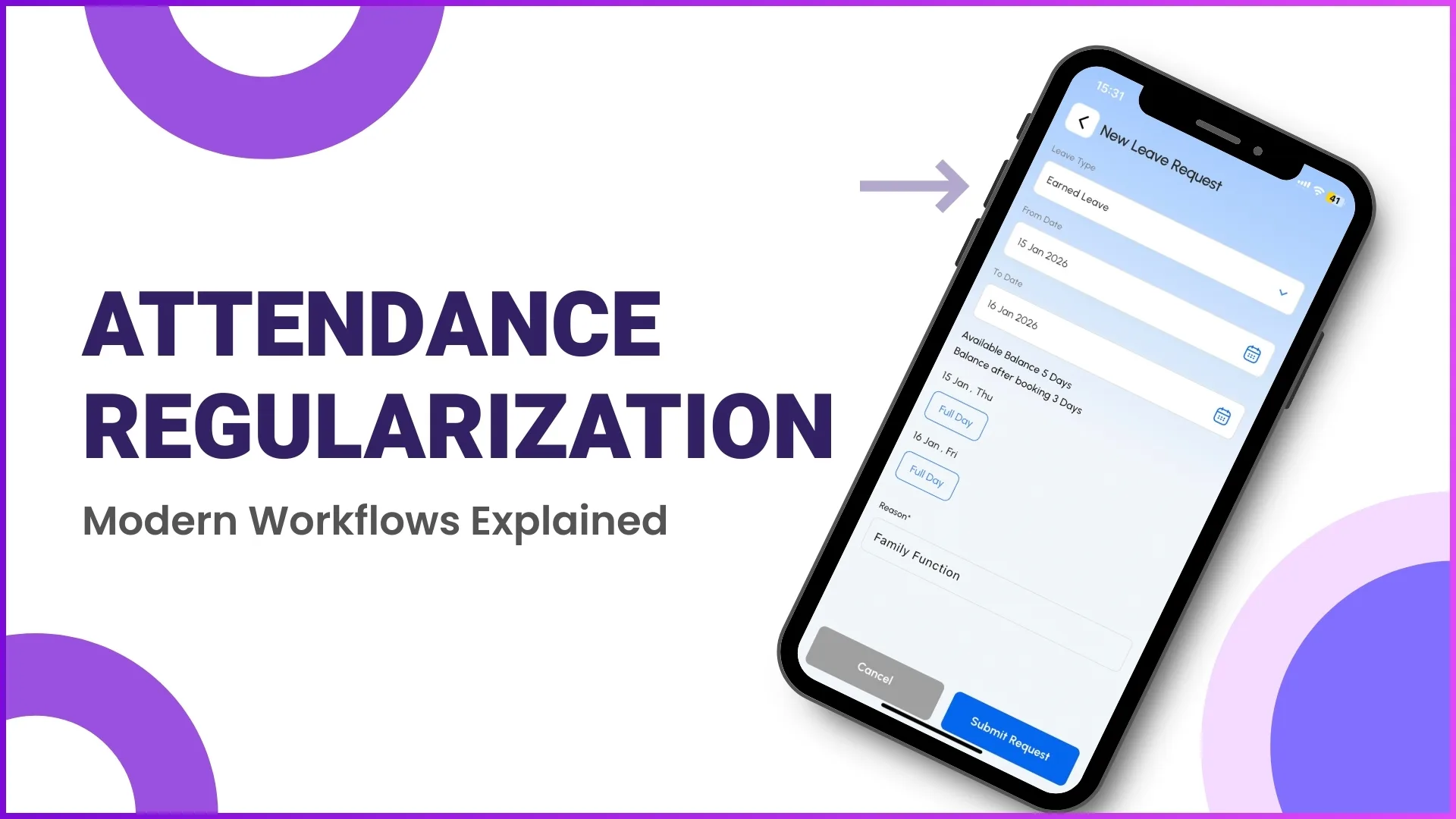
Step 1: Employee Submits Attendance or Regularization Request
From the 1Channel SFA mobile application:
- The employee selects the relevant date
- Chooses the appropriate attendance status (e.g., On-Duty)
- Submits the request for regularization
This submission is recorded in the system and routed to the reporting authority.
Example:
A promoter forgets to mark attendance in the morning but completes all market visits. At the end of the day, they submit an On-Duty regularization request.
Manage attendance regularization efficiently
Automate approval workflows and ensure payroll-ready attendance data with 1Channel.
Explore Attendance SoftwareStep 2: Request Appears in "Approve Attendance" Section
Once submitted:
- The request becomes visible in the Approve Attendance screen
- Managers can view employee details, date, and requested status
- The request waits for action approve or reject
This ensures no attendance change happens without managerial visibility.
Example:
A team leader logs into the portal and sees pending On-Duty requests from their reporting team for a specific date.
Step 3: Manager Reviews and Takes Action
The reporting head can:
- Approve the regularization request
- Reject it if the justification is not valid
Once approved, the selected attendance status is applied to that employee for the specific date.
Example:
The manager verifies visit activity and approves the On-Duty status, updating the attendance record accordingly.
Step 4: Updated Attendance Reflects in Reports and Payroll
After approval:
- Attendance data is updated across reports
- The corrected status is available for analytics
- Payroll and attendance closure teams see finalized data
This step ensures attendance closure accuracy, which is essential for payroll processing.
Role of Attendance Closure in Regularization
The Attendance Closure feature ensures that:
- Attendance data is locked after final review
- Payroll teams work with accurate, approved attendance records
- No last-minute inconsistencies remain
Regularization must be completed before attendance closure to ensure correct payroll calculations.
Configuration Control for Regularization Workflows
Under HR Management → Attendance Management, admins can configure:
- Attendance statuses
- Approval requirements for each status
- Attendance remarks visibility
This allows organizations to decide:
- Which attendance types require approval
- Which can be auto-accepted
- How strict the regularization process should be
Practical Use Cases of Attendance Regularization
Use Case 1: Missed Morning Attendance
An employee forgets to mark attendance due to network issues.
They apply for On-Duty regularization, which is approved by the manager.
Use Case 2: Late Attendance in Field
An employee reaches the first outlet late due to travel delays.
A Late Attendance or Half-Day status is submitted and reviewed.
Use Case 3: Outlet Closed
The employee visits the planned store but finds it closed.
They submit Outlet Closed as attendance status for approval.
Use Case 4: Missing Sign-Out
An employee forgets to sign out at the end of the day.
A Sign-Out regularization request is submitted and approved.
All these scenarios follow the same controlled workflow.
Ready to streamline attendance management?
Implement structured attendance workflows with 1Channel Sales Force Automation.
Explore Sales Force AutomationFAQs
What is attendance regularization used for?
Attendance regularization is used to correct or update attendance records when the originally marked status does not reflect actual working conditions.
Who can approve attendance regularization?
Approval is handled by reporting heads, managers, or authorized admins through the Approve Attendance section.
Does every attendance status require approval?
No. Approval requirements can be configured for each attendance status under HR Management settings.
Is attendance regularization linked to payroll?
Yes. Approved attendance data is used during attendance closure, which directly supports payroll accuracy.
Can attendance records be changed without approval?
No. Regularization follows a structured workflow to ensure accountability and data integrity.
Conclusion
Attendance regularization workflows play a critical role in maintaining accurate attendance records for field teams. By combining employee submissions, approval-based controls, configurable attendance statuses, and attendance closure, the system ensures reliability without compromising operational flexibility.
This structured approach helps organizations manage real-world attendance scenarios while maintaining clean, audit-ready attendance data exactly as outlined in the provided content and demo explanation.